UCR Registration Renewal Status: How to Check Yours, What It Shows, and What to Do Next
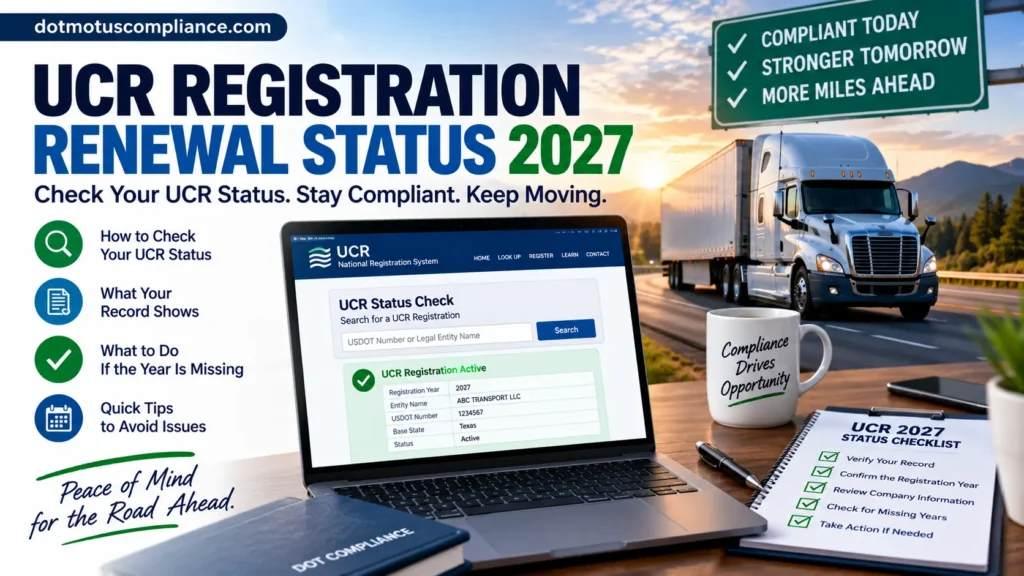
To check your UCR registration renewal status, go to the UCR Plan’s National Registration System at ucr.gov and look up your business by USDOT number. That system is the official record of who has registered and paid for each registration year. Texas DMV, a participating state agency, points carriers to ucr.gov to confirm their registration and notes that the system keeps two years of registration data available for review (TxDMV).
Two things to know before you look:
- UCR is a separate record from your USDOT number. Your FMCSA registration record and your UCR registration are maintained in different systems, so a clean USDOT record says nothing about whether your UCR is paid.
- Registration is per year, and it does not roll over. UCR covers one calendar year and has to be renewed annually (MoDOT). Checking your status means checking a specific year: 2026 now, and 2027 since it opened October 1, 2026 (UCR Plan).
Quick answers
| Question | Answer | Source |
|---|---|---|
| Where do I check? | The National Registration System at ucr.gov, the official UCR system | TxDMV; MoDOT |
| What do I need? | Your USDOT number, and your account login if you want full account details | MoDOT |
| How far back does it show? | The system retains two years of registration data for review | TxDMV |
| Will status appear in my FMCSA record? | No. UCR registrations are recorded in the UCR Plan’s system, not in your USDOT registration record | UCR Plan FAQ |
| Do I need a UCR credential in the truck? | No. You may carry your payment receipt if you want to | TxDMV; Louisiana OMV |
| When can I check 2027? | Now; the 2027 registration year opened October 1, 2026 | UCR Plan |
| Who do I call about the record itself? | UCR help desk, 1-833-827-7526, Monday–Friday, 8 AM–4 PM Mountain Time, or [email protected] | TxDMV |
How to Check Your UCR Registration Renewal Status
Step 1: Gather what you need
What to do: Have your USDOT number ready, plus the legal business name it is registered under. If you filed through your own account, have those login details too.
Why it matters: The record is tied to the registered entity. Looking up the wrong number, or a number belonging to a related company, returns a record that isn’t yours.
What to check: That you are using the USDOT number the business actually operates under, not one from a former authority or an affiliated entity.
Step 2: Go to the official system
What to do: Open ucr.gov directly in your browser rather than following a link from an email or search ad.
Why it matters: ucr.gov is the National Registration System run by the UCR Plan, and it is where every registration is filed and recorded (MoDOT). Private sites can look official; only the .gov system holds the actual record.
What to check: That you are on ucr.gov (the registration system) or plan.ucr.gov (the UCR Plan’s information site). Sites ending in .com or .org offering UCR filing are private companies, including ours.
Step 3: Look up the record by registration year
What to do: Search your USDOT number and review what the system shows for the year you care about.
Why it matters: Each year stands alone. A paid 2026 record does not mean 2027 is done, and vice versa.
What to check: The year, the entity name, and whether that year shows as registered and paid.
Step 4: Compare the record against your own paperwork
What to do: Put the system record next to your confirmation email, receipt, or bank or card statement.
Why it matters: A charge on your card proves someone took a payment. It does not prove a registration was filed for you.
What to check: That the amount matches the official fee for your bracket and year, and that the entity on the record is your business.
Step 5: Save what you find
What to do: Download or print the confirmation and file it by registration year with your other compliance records.
Why it matters: The system retains two years of registration data for review (TxDMV), so older years may not be available to pull later.
What to check: That your saved copy shows the registration year, the business name, and the amount paid.
If the lookup itself isn’t working
Contact the UCR help desk rather than a third party: 1-833-827-7526, Monday–Friday, 8 AM–4 PM Mountain Time, live chat at ucr.gov, or [email protected] (TxDMV). They can speak to the record itself. No private company can.
What Your UCR Status Actually Tells You
The record answers a narrow question: did this entity register and pay for this registration year? It does not tell you several things carriers often assume it does.
| What the record shows | What it does not show |
|---|---|
| Whether the year is registered and paid | Whether your vehicle count or bracket was correct |
| The entity the registration was filed under | Whether every business role you operate under is covered |
| The registration year it applies to | Whether an older year outside the retained window is settled |
| The fee that was paid | Whether your USDOT record is current with FMCSA |
Two practical consequences:
A “registered” status does not validate your bracket. If you underreported vehicles, the year still shows as paid. Your base state can request your vehicle lists on Form UCR-1 or UCR-2 separately (UCR Plan forms). For how counting works, see our guide to UCR registration requirements.
Check every role your business plays. A company that hauls freight and also brokers loads may hold more than one registration identity. Confirm the record covers the business as it actually operates.
Why a Year Can Show as Unregistered
If you expected to see a paid year and don’t, one of these usually explains it.
| Reason | What happened | What to do |
|---|---|---|
| Wrong year checked | You’re looking at 2026 when you filed 2027, or the reverse | Recheck by year; they’re separate registrations |
| Wrong entity | The filing went under a different USDOT number or a related company | Look up each entity you operate |
| Mailed payment not yet processed | Check payments go to the UCR Plan with a printed voucher and have to arrive and post (TxDMV) | Allow mail and processing time, then recheck; keep the voucher copy |
| Payment failed or was reversed | A card decline or returned e-check leaves the year unpaid | Check your statement, then complete payment in the system |
| A third party took payment but never filed | You paid a site that isn’t the NRS and no registration was submitted | Verify at ucr.gov, then register the year for real |
| It was never filed | The year was missed | Register that year if it is still available |
The paperless test for suspicious invoices
UCR registration is handled electronically through the National Registration System, and there are no paper forms or invoices (MoDOT). So an official-looking “UCR invoice” arriving in your mailbox is not a bill from the system. Two things that are legitimate: a voucher you generate at ucr.gov to mail with a check, and a service you knowingly hired. Everything else deserves a look-up at ucr.gov before you pay anything.
Missouri DOT also states plainly that UCR payments sent to the state are returned (MoDOT). Payment belongs in the national system.
How the official payment methods work
Knowing what a real payment looks like makes a fake one easier to spot (TxDMV):
- Online at ucr.gov: MasterCard, Visa, Discover, debit card, or e-check. A 2.97% fee applies to credit card payments.
- By mail: a check or money order with a voucher generated at ucr.gov, sent to the Unified Carrier Registration Plan, PO Box 2935, Idaho Falls, ID 83403-2935.
- For e-check payers: businesses with debit blocks may need to update the originator ID to 9000517433.
If you would rather not manage the lookup, the payment, and the filing yourself, private filing assistance is one option. We compare both routes below.
Checking 2027 Status: What’s Different This Year
| Item | 2026 registration year | 2027 registration year |
|---|---|---|
| Status available to check | Now | Now; the year opened October 1, 2026 (UCR Plan) |
| Fee range | $46 to $44,836 (UCR Plan) | $55 to $54,165 (91 FR 56063) |
| Lowest bracket, and brokers and leasing companies | $46 | $55 |
| Complete by | Before January 1, 2026 | Before January 1, 2027 (UCR Plan) |
FMCSA finalized the 2027 fees on September 1, 2026, effective October 1, 2026, an average increase of about 20% over the schedule used for 2025 and 2026 (91 FR 56063). The full bracket table is in our 2027 UCR fee brackets overview.
Use the amount as a sanity check. If a receipt shows you paid a 2026-level fee against a 2027 registration, or the reverse, something is off. Match the amount to the year before you file the receipt away.
Don’t wait until late December to check. Missouri DOT recommends renewing as soon as possible so the registration is processed before enforcement begins (MoDOT). Checking status in October or November leaves room to fix a problem; checking on December 30 does not.
What to Do When Your Status Shows a Year Is Missing
If the missing year is 2027
Register it now that the year is open (since October 1, 2026), and complete it before January 1, 2027 (UCR Plan). For the filing process itself, see our walkthrough on how to complete UCR renewal online.
If the missing year is 2026 or earlier
Handle it as its own registration. Filing 2027 does not settle an earlier year.
Whether an older year can still be registered depends on how long that year stays open, and the answer is not the same everywhere or forever. FMCSA describes each fee year as collecting from October 1 of the prior year through December 31 of the following year, to allow for late registrations and dispute resolution (91 FR 56063). But Minnesota DOT reported that registration for the 2024 year ended September 30, 2025, except for state audit purposes (MnDOT).
The practical takeaway: don’t assume an old year is still open, and don’t assume it’s closed. Check the National Registration System, and if the year isn’t available there, ask the UCR help desk or your base state before you conclude anything.
Texas DMV puts the obligation plainly: if you operated in a prior year and did not register, you are expected to complete the registration for that year online (TxDMV).
If you need help with an earlier year, you can register directly or see UCR Registration – Current Year (2026) or UCR Registration – Previous Year (2025).
If the business shouldn’t have been registering at all
Some operations fall outside UCR, including genuinely intrastate-only carriers and qualifying private carriers of passengers (UCR Plan questionnaire). Before deciding a missing year doesn’t matter, read our guide to who is exempt from UCR registration, because the exceptions are narrower than they look.
Common Status-Check Mistakes
| Mistake | What goes wrong | How to avoid it |
|---|---|---|
| Treating a card charge as proof | A payment taken is not a registration filed | Confirm the year at ucr.gov |
| Checking SAFER or your USDOT record | UCR status is not kept in your FMCSA registration record | Check the National Registration System |
| Assuming last year’s confirmation covers this year | UCR is good for one calendar year (MoDOT) | Check each year separately |
| Paying a mailed “invoice” | The national system doesn’t send paper invoices (MoDOT) | Look up the record first, then pay in the system |
| Checking only one entity | Related companies and multiple business roles hold their own records | Check each USDOT number your operation uses |
| Treating “registered” as a bracket review | The record does not verify your vehicle count | Keep your UCR-1 or UCR-2 vehicle lists |
| Letting the record go unsaved | Only two years of data are retained for review (TxDMV) | Download the confirmation each year |
| Looking for a decal or cab card | There is no UCR credential (UCR Plan FAQ) | Keep the receipt if you want something on hand |
Your status-check checklist
- I looked up the record at ucr.gov, not a private site
- I checked the specific registration year, not just “am I registered”
- I checked every USDOT number and business role my operation uses
- The entity name on the record matches my business
- The amount paid matches the official fee for that year and bracket
- I downloaded or printed the confirmation and filed it by year
- Any missing year is being handled as its own registration
- My vehicle lists (Form UCR-1 or UCR-2) are on file if I relied on them
Why some businesses hand this off
Checking one year for one USDOT number is a five-minute job, and most owner-operators should just do it. It gets more involved when a company runs several entities, added a brokerage or leasing arm mid-year, discovered an old year was never filed, or paid someone who may never have submitted anything. Office teams juggling IFTA, IRP, and biennial updates also tend to want fewer annual tasks on the calendar.
That is where private filing assistance can help. It is optional, and the next section lays out exactly what each route involves.
Handle It Yourself or Use Private Filing Assistance
Checking your status is free and always available to you. Registering a year is something you can also do yourself. Here is what each route looks like.
Option 1: Do it directly
Where: The National Registration System at ucr.gov for both lookups and filings (MoDOT).
What you’ll need:
- Your USDOT number and legal business name
- The registration year you’re checking or filing
- Your commercial motor vehicle count and how you determined it, if you’re registering
- A card, debit card, or e-check, or a printed voucher for a mailed check
What to verify: The registration year, the entity, the bracket, and the fee amount before you pay, then the record afterward.
Who may prefer this: Owner-operators and small fleets with one entity and a current USDOT record, and brokers or leasing companies paying the flat lowest-bracket fee.
Official help with the record: UCR help desk, 1-833-827-7526, Monday–Friday, 8 AM–4 PM Mountain Time, live chat at ucr.gov, or [email protected] (TxDMV).
Option 2: Use private filing assistance
What assistance can simplify: Sorting out which year and which entity need attention, confirming business classification, reviewing fleet size against the right fee tier, choosing the correct state for the registration, and handling the submission and confirmation.
What DotMotusCompliance handles for 2027 (service page):
- Preparing and submitting your 2027 UCR filing
- Verifying your carrier or business classification
- Reviewing your fleet size for the correct fee tier
- Selecting the correct state for your registration
- Sending email confirmation and your UCR receipt
- Helping with corrections if needed
What you remain responsible for: Giving accurate business, operation, and fleet information; keeping your USDOT record current with FMCSA; and keeping your own copy of the confirmation. You can, and should, still verify the result yourself at ucr.gov afterward.
Who may prefer this: Businesses with more than one entity or role, companies catching up on an earlier year, carriers who discovered a filing they paid for was never submitted, and teams that would rather not track another annual deadline.
Disclosure: DotMotusCompliance is a private compliance assistance provider that charges a service fee. It is not FMCSA, USDOT, the UCR Plan, a state agency, or any government agency, and it is not affiliated with or endorsed by any of them. You can check your status and register directly at ucr.gov without using a private service, and no private company can change what the official record says.
UCR Renewal Status: Frequently Asked Questions
How do I check my UCR registration renewal status?
Look up your business by USDOT number in the National Registration System at ucr.gov. Texas DMV directs carriers there to confirm their registration (TxDMV).
Can I check my UCR status for free?
Yes. Looking up the record in the official system costs nothing. Fees apply to registering, not to checking.
How far back can I see my UCR history?
The system retains two years of registration data for review (TxDMV), which is why it’s worth saving each year’s confirmation when you get it.
When can I check my 2027 UCR status?
Now; the 2027 registration year opened on October 1, 2026 (UCR Plan). Before that date there is no 2027 record to find.
Does my UCR status show up in SAFER or my USDOT record?
No. Your FMCSA registration record and your UCR registration are kept in separate systems, so you need to look in the National Registration System for UCR.
I paid a company to file my UCR. How do I know they actually did?
Check the record yourself at ucr.gov. A card charge shows a payment was taken, not that a registration was filed. If the year isn’t showing, contact the company first, then register the year if needed.
My status says I’m not registered, but I mailed a check. What now?
Mailed payments go to the UCR Plan with a voucher printed from ucr.gov and have to arrive and be processed (TxDMV), so a record may not appear right away. Keep your voucher and check copy, recheck after a reasonable interval, and call the UCR help desk if it still isn’t showing.
Do I need to carry proof of my UCR registration in the truck?
No. Carriers are not required to carry proof of UCR compliance in the vehicle, though you may carry a payment receipt if you choose (TxDMV; Louisiana OMV).
Can I still register a year that shows as missing?
Sometimes. Texas DMV states that a business that operated in a prior year without registering should complete that year’s registration online (TxDMV). How long a given year stays open varies, so check the system and ask the UCR help desk or your base state rather than assuming.
Does checking my status confirm I paid the right amount?
No. The record shows the year was registered and paid, not that your vehicle count or bracket was right. Keep your Form UCR-1 or UCR-2 vehicle lists in case your base state requests them (UCR Plan forms).
Need Help With Your 2027 UCR Registration?
If you’ve determined that UCR applies to your business but would prefer assistance preparing and submitting the filing, DotMotusCompliance can help you complete the 2027 registration process.
Start 2027 UCR Registration → Call (307) 200-8338DotMotusCompliance is a private, for-profit compliance assistance provider. We are not FMCSA, USDOT, the UCR Plan, a state agency or another government agency. Businesses are not required to use a private filing provider and may register directly through the official UCR system.
Get Help or Handle It Yourself
Need help with your 2027 UCR registration?
DotMotusCompliance can assist businesses that prefer help preparing and submitting their UCR filing, including verifying business classification and reviewing fleet size for the correct fee tier.
Primary service: UCR Registration – Current Year (2027)
Phone: (307) 200-8338 Email: [email protected] Hours: Monday–Friday, 7 AM–7 PM Central Time Address: 202 N Cedar Ave Ste #1, Owatonna, MN 55060
Checking your UCR registration renewal status is free, and eligible businesses can file directly through the official UCR National Registration System at ucr.gov without using any private service. Whichever route you take, look the record up yourself afterward, save the confirmation, and check each registration year on its own.
DotMotusCompliance is a private compliance assistance provider. It is not FMCSA, USDOT, the UCR Plan, a state agency, or a government agency.